
Nirvana
Smells Like Teen Spirit guitar tone settings.
Nevermind · 1991 · Alternative
The contrast is the starting point for Nirvana’s Smells Like Teen Spirit: a sparse, chorus-treated verse against broad distorted chords. Use the free reference rigs and playing tips to build both sounds with the equipment you have.
Tone guide and troubleshooting ↓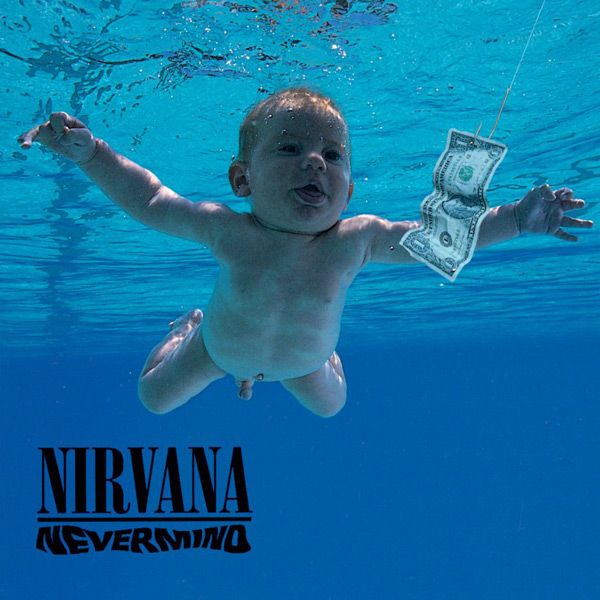 Artwork unavailable
Distorted chorus
Broad, gritty chord drive with clear rhythmic stops.
In your hands
Strum firmly, then mute the gaps with both hands.
Evidence and sources
Producer Butch Vig identifies Small Clone chorus on Come As You Are and the quieter Teen Spirit passages, and discusses the rented amplifier used on Lithium. These recollections support effect and production context, not numerical presets. Amper's pickup, effect choices and normalized 0–10 targets are suggested recreations unless specifically attributed above. Numeric settings are not documented artist settings. Listening validation is pending.
An authored example rig, not your matched settings or a documented artist preset.
guitar · Fender
Player II Jazzmaster
Pickup selectorWhy this setting?
Suggested pickup position for this part; a tonal choice, not a claim about the original session.
VolumeWhy this setting?
Suggested volume position for this part. Compare at equal listening volume and adjust by ear.
Normalized 0-10 knob travel; not printed panel numbers
ToneWhy this setting?
Suggested tone position for this part. Compare at equal listening volume and adjust by ear.
Normalized 0-10 knob travel; not printed panel numbers
amp · Marshall
DSL40CR
Ultra GainWhy this setting?
Editorial starting point, not a measured reproduction. Compare at equal listening volume and adjust by ear.
Normalized knob travel 0-10. Ultra channel preamp drive.
Ultra VolumeWhy this setting?
Start with output at minimum, then raise toward this low starting position to suit your room; knob position is not loudness.
Normalized knob travel 0-10. Ultra channel output.
OD1/OD2 buttonWhy this setting?
Editorial starting point, not a measured reproduction. Compare at equal listening volume and adjust by ear.
Also selects Ultra channel unless an external two-way footswitch is connected.
TrebleWhy this setting?
Editorial starting point, not a measured reproduction. Compare at equal listening volume and adjust by ear.
Normalized knob travel 0-10. High EQ.
MiddleWhy this setting?
Editorial starting point, not a measured reproduction. Compare at equal listening volume and adjust by ear.
Normalized knob travel 0-10. Mid EQ.
BassWhy this setting?
Editorial starting point, not a measured reproduction. Compare at equal listening volume and adjust by ear.
Normalized knob travel 0-10. Low EQ.
Tone ShiftWhy this setting?
Editorial starting point, not a measured reproduction. Compare at equal listening volume and adjust by ear.
PresenceWhy this setting?
Editorial starting point, not a measured reproduction. Compare at equal listening volume and adjust by ear.
Normalized knob travel 0-10. Power-stage high-frequency response.
ResonanceWhy this setting?
Editorial starting point, not a measured reproduction. Compare at equal listening volume and adjust by ear.
Normalized knob travel 0-10. Power-stage low-frequency response.
Ultra ReverbWhy this setting?
Editorial starting point, not a measured reproduction. Compare at equal listening volume and adjust by ear.
Normalized knob travel 0-10. Ultra channel reverb.
Master SelectWhy this setting?
Editorial starting point, not a measured reproduction. Compare at equal listening volume and adjust by ear.
Master 1Why this setting?
Start with output at minimum, then raise toward this low starting position to suit your room; knob position is not loudness.
Normalized knob travel 0-10. Output when Master 1 selected.
LoopWhy this setting?
Editorial starting point, not a measured reproduction. Compare at equal listening volume and adjust by ear.
OutputWhy this setting?
Editorial starting point, not a measured reproduction. Compare at equal listening volume and adjust by ear.
With no external channel footswitch connected, select the indicated Classic or Ultra mode using its front-panel button. After selecting the mode, select Master 1 and switch Loop off; recalled states may differ. Start both output levels low.
Know the limits
- Editorial recreation; these settings have not been listening-tested on your setup.
- Pickup output, speakers, room, and studio layering remain differences; the numeric mapping is not an acoustic calibration.
These are Amper recreation settings, not the artist’s exact knob positions. The example rig translates this named part’s stored gain, EQ, pickup and effect targets into verified hardware controls. Producer Butch Vig identifies Small Clone chorus on Come As You Are and the quieter Teen Spirit passages, and discusses the rented amplifier used on Lithium. These recollections support effect and production context, not numerical presets. Amper's pickup, effect choices and normalized 0–10 targets are suggested recreations unless specifically attributed above. Numeric settings are not documented artist settings. Listening validation is pending.
Clean verse — reference settings and playing tips
Clean verse
Sparse clean notes with a gentle chorus movement.
In your hands
Keep the two-note figure light and let it ring.
Evidence and sources
Producer Butch Vig identifies Small Clone chorus on Come As You Are and the quieter Teen Spirit passages, and discusses the rented amplifier used on Lithium. These recollections support effect and production context, not numerical presets. Amper's pickup, effect choices and normalized 0–10 targets are suggested recreations unless specifically attributed above. Numeric settings are not documented artist settings. Listening validation is pending.
An authored example rig, not your matched settings or a documented artist preset.
guitar · Fender
Player II Jazzmaster
Pickup selectorWhy this setting?
Suggested pickup position for this part; a tonal choice, not a claim about the original session.
VolumeWhy this setting?
Suggested volume position for this part. Compare at equal listening volume and adjust by ear.
Normalized 0-10 knob travel; not printed panel numbers
ToneWhy this setting?
Suggested tone position for this part. Compare at equal listening volume and adjust by ear.
Normalized 0-10 knob travel; not printed panel numbers
pedal · Electro-Harmonix
Small Clone
RateWhy this setting?
Editorial starting point, not a measured reproduction. Compare at equal listening volume and adjust by ear.
Normalized knob travel 0-10. Frequency of pitch modulation.
DepthWhy this setting?
Editorial starting point, not a measured reproduction. Compare at equal listening volume and adjust by ear.
Two physical switch positions; not a continuous depth knob.
Effect footswitchWhy this setting?
Engage this selected pedal for this section; match the bypassed loudness.
amp · Fender
Champion 40
CH SelectWhy this setting?
Editorial starting point, not a measured reproduction. Compare at equal listening volume and adjust by ear.
Volume 1Why this setting?
Start with output at minimum, then raise toward this low starting position to suit your room; knob position is not loudness.
Normalized knob travel 0-10. Clean channel output.
TrebleWhy this setting?
Editorial starting point, not a measured reproduction. Compare at equal listening volume and adjust by ear.
Normalized knob travel 0-10. Treble EQ.
BassWhy this setting?
Editorial starting point, not a measured reproduction. Compare at equal listening volume and adjust by ear.
Normalized knob travel 0-10. Bass EQ.
FX LevelWhy this setting?
Editorial starting point, not a measured reproduction. Compare at equal listening volume and adjust by ear.
Normalized knob travel 0-10. Selected effect amount.
FX SelectWhy this setting?
Editorial starting point, not a measured reproduction. Compare at equal listening volume and adjust by ear.
Choose the indicated voice and effect labels on the panel. FX Level controls the combined effect mix; this plan chooses one available effect or documented combination.
Know the limits
- Editorial recreation; these settings have not been listening-tested on your setup.
- Champion 40 lacks separate middle controls; the target EQ cannot be matched independently.
- Pickup output, speakers, room, and studio layering remain differences; the numeric mapping is not an acoustic calibration.
- Small Clone provides two depth positions; it cannot reproduce every continuous depth or mix target independently.
- Champion effect timing and mix are approximate starting points; its single FX selector cannot provide every requested effect simultaneously.
These are Amper recreation settings, not the artist’s exact knob positions. The example rig translates this named part’s stored gain, EQ, pickup and effect targets into verified hardware controls. Producer Butch Vig identifies Small Clone chorus on Come As You Are and the quieter Teen Spirit passages, and discusses the rented amplifier used on Lithium. These recollections support effect and production context, not numerical presets. Amper's pickup, effect choices and normalized 0–10 targets are suggested recreations unless specifically attributed above. Numeric settings are not documented artist settings. Listening validation is pending.
AMPER PRACTICE GUIDE · UPDATED
Smells Like Teen Spirit: verse and chorus guitar tone
Starting points to try on your gear. These suggestions have not been validated by listening tests on every setup.
Leave space in the clean verse
Choose a clean or low-gain sound and play the two-note figure lightly. If you have chorus, introduce it after the dry notes are clear. Keep the movement audible without letting it blur the gaps. Without chorus, you can still practise the part’s timing and contrast, but the modulation will be missing.
Make the distorted chorus feel bigger
Use your amp’s drive channel or a distortion pedal for the heavier section. Start with enough drive to join the chord sound, then check that the rhythmic stops remain distinct. Mute the gaps with both hands. More gain cannot substitute for those silences, which help the next attack land clearly.
Balance the two sounds
Switch between the verse and chorus while playing, and compare their perceived volume. Adjust the pedal output or channel volume separately from gain where those controls exist. With a single-channel amp, the guitar volume can offer a smaller clean-to-dirty range; how well it cleans up depends on the amp and drive pedal.
Troubleshooting your tone
Why do the chorus chords merge into noise?
Reduce drive slightly and check your muting before changing EQ. If the low strings still overwhelm the chord, reduce bass where available and listen again at the same volume.
Why is my clean verse too wobbly?
Back off chorus depth or rate if your pedal offers them. Compare short phrases with the effect bypassed so you can hear whether the modulation is helping the notes or obscuring them.
What the source establishes
Producer Butch Vig identifies the Small Clone as the watery effect in Teen Spirit’s verses in his Guitar.com interview. That supports the effect choice; it does not establish exact pedal positions or the settings for your amp.
Butch Vig on recording Nirvana — Guitar.com interview ↗